Facebook Ad Rejected: Why It Happens & What to Do Next
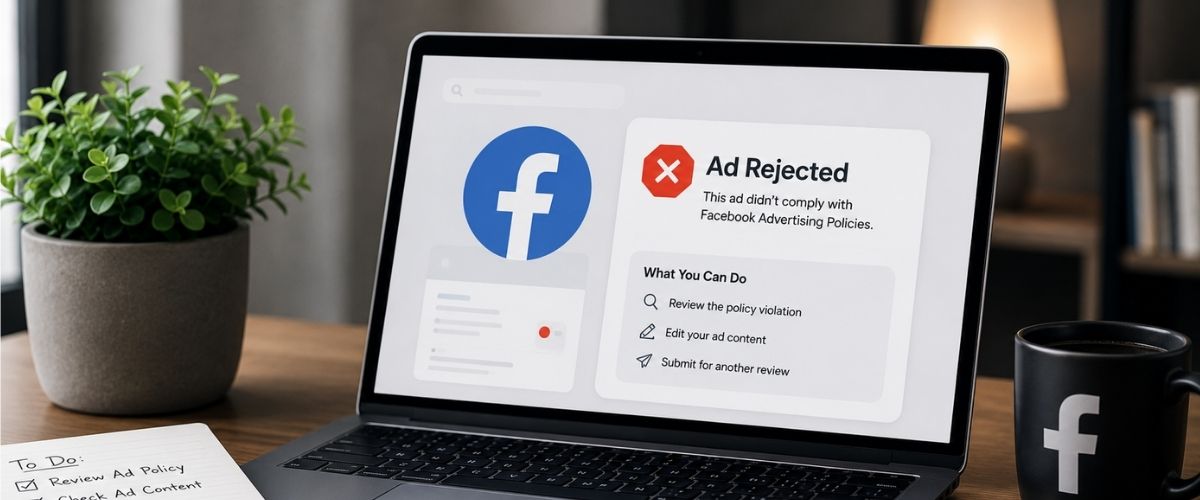
You spent hours creating the perfect Facebook ad campaign. You picked the best images, wrote great copy, and set up your target audience. You hit the publish button and waited for sales to come in. Instead, you opened Meta Ads Manager and saw a red notice: Ad Rejected.
Ad rejections are a common challenge for businesses running Meta advertising campaigns. A rejected ad stops your marketing strategy immediately, lowers your sales, and wastes valuable time. If it happens too many times, Meta might even ban your entire advertising account.
While an ad rejection can be frustrating, it is usually something that can be resolved quickly. Once you identify the policy issue, the approval process is often straightforward.
In this guide, we'll explore the most common ad rejection reasons and the steps you can take to avoid them.
How Facebook Reviews Ads
When you submit an ad, it does not go to a human worker right away. Instead, Meta relies on automated review systems to assess submitted advertisements.
This AI system looks at multiple parts of your campaign:
- The Ad Image or Video: The system scans for hidden text, nudity, violence, or shocking visuals.
- The Ad Copy: The computer reads your text, headlines, and descriptions to find banned words.
- The Target Audience: Meta checks if you are targeting people based on sensitive details like health, race, or religion.
- The Landing Page: The system clicks the link in your ad to check the website where users land. If your website has errors, misleading claims, or broken links, Meta rejects the ad.
The automated system finishes most reviews within 24 hours. As with any automated system, legitimate ads can occasionally be flagged incorrectly. Good ads get rejected by accident because the computer misinterprets a word or a picture.
Why Facebook Rejects Ads
To fix your ad campaign, you must find the exact rule you broke. Here are the most common reasons Facebook rejects ads.
1. Personal Attributes
This rule causes more rejections than almost any other. Meta does not want users to feel uncomfortable while scrolling through social media. You cannot write a copy that tells the user you know their personal characteristics.
- The Rule: You cannot use words like you, your, are you, or do you have when talking about sensitive topics.
- Sensitive Topics Include physical health, mental health, race, financial status, medical history, criminal records, or age.
- Bad Example: Are you struggling with debt? Try our financial services today! (This flags the user as having financial trouble).
- Good Example: We provide financial planning services to help businesses grow. (This focuses entirely on the service, not the individual person).
2. Misleading Claims
Meta protects its users from scams and false promises. If your ad promises unrealistic results in a short amount of time, the system blocks it immediately.
- Target Industries: This rule applies heavily to fitness, weight loss, crypto, finance, and skincare businesses.
- The Core Restriction: You cannot guarantee a specific, absolute outcome or time frame.
- Bad Example: Lose 10 kilos in 5 days with this secret tea!
- Good Example: Pair our natural herbal tea with regular exercise for a healthier lifestyle.
3. Landing Page Issues
Your ad text is only half of the puzzle. Meta checks the destination website link attached to your ad button to ensure a high-quality user experience.
Your ad will fail the review process if the landing page:
- Contains broken links, 404 errors, or extremely slow loading speeds.
- Displays a completely different product or offer than what the ad promised.
- Lacks an easily accessible privacy policy page or terms of service link.
- Forces disruptive pop-up ads, aggressive countdown timers, or automatic downloads onto the user's device.
4. Before-and-After Images
If you sell skincare, fitness programmes, or personal grooming items, you might want to show a side-by-side comparison. However, Meta explicitly bans before-and-after images for health and beauty products.
- Why Meta Bans This: These images often make users feel bad about their bodies or appearance while scrolling.
- The Compliance Issue: They imply a guaranteed physical result that might not happen for every single consumer.
- The Solution: Focus on showing happy people interacting with your product, or show the application process without the dramatic side-by-side comparison.
5. Restricted Content
Some items cannot be advertised on the platform under any circumstances, while others require special legal clearance.
- Prohibited Items (Banned Completely):
- Illegal or recreational drugs.
- Tobacco, e-cigarettes, and related products.
- Weapons, ammunition, and explosives.
- Adult products, services, and nudity.
- Fake documents, degrees, or counterfeit goods.
- Restricted Items (Requires Prior Approval & Special Targeting):
- Alcohol and online gaming/gambling.
- Subscription services and online dating platforms.
- Cryptocurrency products and credit card offers.
- Political campaigns and social issue advocacy.
6. Bad Grammar and Profanity
Meta wants to keep its news feed looking highly professional and clean. Your copy will get flagged if it uses tricks to get attention or hide bad language.
- Formatting Red Flags: Using excessive capital letters (like BUY NOW FREE SHIPPING) or strings of exclamation points.
- Profanity Rules: Using asterisks or symbols to hide swear words is strictly banned.
- System Evasion: Trying to trick the system by replacing letters with numbers (like writing Money instead of Money) will get your ad account banned permanently.
7. Copyright Violations
You cannot use brand elements, logos, media, or images that do not legally belong to your business.
- Audio Violations: Using a popular commercial song in your video background without buying a commercial licence.
- Visual Violations: Showing famous brand logos (like a visible Nike swoosh or Apple logo) without explicit permission.
- Text Violations: Claiming your product is compatible with iPhone or just like Lego in a way that implies an official partnership.
8. Special Ad Categories
If your business relates to specific regulated sectors, you must declare it in your campaign settings before creating your ad.
- The 5 Special Categories: Credit, Employment, Housing, Social Issues, or Politics.
- The Impact: When you select a special ad category, Meta limits your targeting choices to prevent discrimination based on age, gender, race, or postal codes.
- The Consequence: If you try to run an ad for a job opening, a home rental, or a credit card without checking this specific box, your ad gets rejected automatically by the system.
What to Do When Your Ad Is Rejected
When your ad gets rejected, do not click random buttons or try to delete the campaign immediately. Follow this exact process to fix the issue and protect your account score.
1. Check the Disapproved Reason: Go into Meta Ads Manager. Look at the delivery column next to your ad name. Hover your mouse over the word Rejected. Click on See Details. Meta will show you the exact policy you violated. Read this carefully to see if the error lies in your text, your image, or your landing page website.
2. Edit the Ad Content: If the error matches one of the top eight reasons listed above, change it. Rewrite the copy to remove personal pronouns like you or your. Swap out any risky images for clean lifestyle photos. Fix any spelling issues or bad punctuation. If the error points to your landing page, open your website editor and fix the broken link or add a privacy policy link to your footer.
3. Publish and Wait for Re-Review: Once you save your changes inside Ads Manager, click the publish button. Meta treats an edited ad like a brand-new submission. The automated computer system will re-scan your work within 24 hours.
4. Request a Manual Review: If you read the policy and know your ad is completely clean, the automated computer system likely made a mistake. Do not change anything. Click the Request Review button inside the Account Quality panel. This sends your ad to a human worker at Meta who can override the computer's mistake.
Keep Your Ad Account Safe
Meta operates on a strike system. If you keep submitting rejected ads without fixing them, the system assumes you are a high-risk advertiser.
[Healthy Ad Account] --> Repeated Rejections --> [Account Restricted] --> Permanent Ban
Once your business account gets restricted, you lose access to your custom audiences, tracking pixels, and historic data. Use these professional tips to stay safe:
- Check Your Account Quality Regularly: This section of Ads Manager shows your historical compliance score. Clean out old rejected ads by archiving them so they do not hurt your profile rating.
- Never Use Bypass Tricks: Avoid replacing letters with numbers or using weird symbols to hide banned words. The machine learning model eventually catches this behaviour and applies a permanent ban instantly for deceptive practices.
- Build a Compliance Checklist: Before hitting publish, read through your copy one final time. Check for personal pronouns and extreme health claims, and make sure your landing page loads correctly on mobile phones.
Conclusion
Getting a Facebook ad rejection notice can feel incredibly frustrating, but it is a normal part of running a business online. Remember that Meta's automated computer systems are simply trying to keep the platform safe and clean for everyone. Most of the time, a rejection is just a quick signal that your copy needs a minor tweak or your website link needs a fast update. By keeping a close eye on your Account Quality tab, stripping out sensitive you phrases from your text, and ensuring your landing pages load quickly, you can protect your advertising account from permanent bans. Treat every rejection as a quick learning experience to make your digital marketing stronger.
If you are tired of fighting with automated systems, dealing with confusing policy updates, or worrying about your ad account getting restricted, you do not have to do it alone. The team at Karma Media knows Meta's rules inside and out. We take the guesswork out of social media marketing so you can focus entirely on running your business. Ready to launch high-converting, policy-safe campaigns that consistently grow your revenue? Contact Us at Karma Media today and let our experts handle the heavy lifting for you!