Boosting a Post vs. Creating a Meta Ad: Why One Costs You More

Most business owners have pressed that blue "Boost Post" button on Facebook or Instagram at some point. It is fast, it takes two minutes, and it feels like you are getting your content in front of more people. That part is technically true. But more people does not always mean the right people.
Boosting a post and running a Meta ad through Ads Manager are two completely different things. They have different targeting options, different objectives, and they deliver very different results for the same budget. One is built for reach. The other is built for outcomes. If you have been using boosted posts as your main Facebook advertising strategy, this is worth reading before you spend another dollar.
What Is a Boosted Post?
A boosted post starts as a regular post on your Facebook or Instagram page. Organic reach on Facebook has dropped to around 5% of your followers, so boosting is a way to pay Meta to show that post to more people. You pick an audience based on age, location, and a few interests, set a budget, choose a duration, and you are done. The whole process takes a few minutes and requires no technical setup.
It is built for speed, not strategy. You get limited control over who sees it and almost no control over what happens after they do. There is no option to track conversions, retarget past visitors, or run different versions to see what works better.
What Is a Meta Ad?
A Meta ad is created inside Meta Ads Manager. It is not an upgraded version of the boost button. It is a completely separate tool built around campaign objectives, audience segmentation, and measurable outcomes.
You start by choosing what you want to achieve, whether that is leads, website conversions, traffic, video views, or sales. From there you build your audience, pick your ad format, set your budget, and create the ad itself. Every decision you make feeds the algorithm data it uses to optimise where your budget goes. That is the key difference. The system is actively working to get you the outcome you selected, not just showing your content to whoever is nearby.
What Boosting Gives You
When you boost a post, here is what you can control:
- Audience by age, location, and broad interest categories
- Budget and number of days the boost runs
- A basic objective such as engagement, page visits, or messages
- Placement across News Feed, Stories, and Messenger
That is it. No custom audiences, no retargeting, no A/B testing, no conversion tracking. The boost button is designed to increase reach, not drive specific business outcomes.
What Meta Ads Manager Gives You
Meta Ads Manager unlocks a level of control that boosted posts simply do not have:
- Six campaign objectives including leads, conversions, traffic, and sales
- Custom audiences built from website visitors, email lists, or past engagers
- Lookalike audiences modelled on your existing customers
- Retargeting for people who visited your site but did not take action
- A/B split testing across creatives, copy, and audiences
- Placement control across Facebook, Instagram, Messenger, and Meta Audience Network
- Ad formats including carousels, lead forms, collection ads, and video
- Detailed reporting on cost per result, click-through rate, and return on ad spend
Every one of these features exists to help your budget find people who are more likely to convert, not just people who scroll past.
Why Boosting Often Costs More Per Result
The upfront spend on a boosted post can look cheaper. But cost per result is what actually matters, not total spend. Here is why boosted posts tend to deliver a worse cost per lead or cost per sale:
- No conversion optimisation: Boosted posts are set up to maximise reach and post engagement. Meta is not trying to find people who will buy or fill in a form. It is finding people who will see the post.
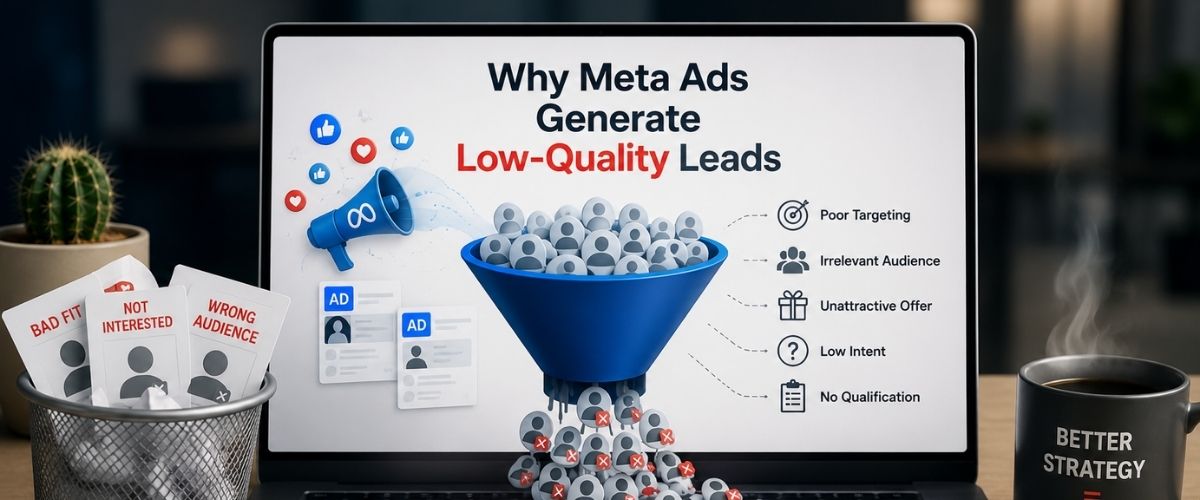
- Broad audience targeting: Interest-based targeting on a boosted post casts a wide net. A large portion of that audience has no real intent to act on what you are selling.
- No algorithm learning: Meta Ads Manager campaigns learn over time which users are converting and shift budget toward them. A boosted post runs flat from start to finish with no optimisation.
- No retargeting: Every boost starts cold. You cannot reach people who already visited your website or engaged with a previous ad.
- No testing: You cannot run two versions of a boosted post side by side to find out which one performs better.
The result is that two businesses spending the same monthly budget, one boosting posts and one running Meta ad campaigns through paid social advertising, will rarely see the same cost per lead.
When Boosting Actually Makes Sense
Boosting is not always the wrong move. There are specific situations where it is a reasonable choice:
- A post is already getting strong organic engagement and you want to extend its reach
- You are promoting a time-sensitive event or short-run sale and need quick visibility
- You are new to Facebook advertising and want to test the platform before learning Ads Manager
- Your only goal is local brand awareness with no specific conversion attached
The issue is when boosting becomes the default strategy. If it is what you do every month because it is easier, you are paying for reach when you probably need results. The two things are not the same, and the difference shows up clearly when you look at your cost per lead at the end of the month.
The Targeting Gap Is Where Budget Gets Wasted
This is the biggest practical difference between the two options. With a boosted post, you might target people aged 30 to 50 in Melbourne who are interested in "home improvement." That is a very wide group of people with varying levels of actual interest in what you offer. Some of them are homeowners actively looking for a tradie. A lot of them are not. You are paying for both.
With a Meta ad through Facebook advertising, you can target people in specific Melbourne suburbs who have visited your website in the last 14 days, browsed similar service providers, and match the profile of your existing customers. You can also exclude current customers so you are not wasting impressions on people who have already converted. That level of audience segmentation is what separates a $50 spend that generates three enquiries from one that generates none.
What the Reporting Tells You
After a boosted post ends, you can see reach, impressions, clicks, and engagement. That is where the data stops. There is nothing in that report that tells you what to do differently next time.
After a Meta ad campaign, you get a breakdown by audience, placement, age group, device, and time of day. You can see your cost per lead, your cost per click, and your return on ad spend. You can see which ad set performed best and pause the ones that did not. If you ran an A/B test, you will know exactly which version of your ad won and by how much. This is how social media advertising improves over time. Without that data, each boost is a fresh guess.
A Quick Side-by-Side
The Bottom Line for Business Owners Spending on Meta
If your goal is visibility or a quick announcement, boosting can do the job. If your goal is leads, sales, or enquiries, boosting is the wrong tool for that outcome. Meta built the boost button to be easy. Easy is not the same as effective when you are measuring cost per acquisition or return on ad spend.
Meta Ads Manager takes more time to set up and more thought to run well. But it gives you targeting precision, conversion optimisation, and reporting that actually tells you something. You also build retargeting audiences over time, which means every campaign makes the next one a little cheaper to run. If you have been boosting posts for months and the results feel thin, that is not a budget problem. It is a tool problem.
Stop guessing and start growing. Book your Free Strategy Session with our Melbourne-based experts today to map out a results-driven plan for your business.
.jpg)
.png)