
Facebook Ad Manager vs Business Manager: What They Are and How They Differ
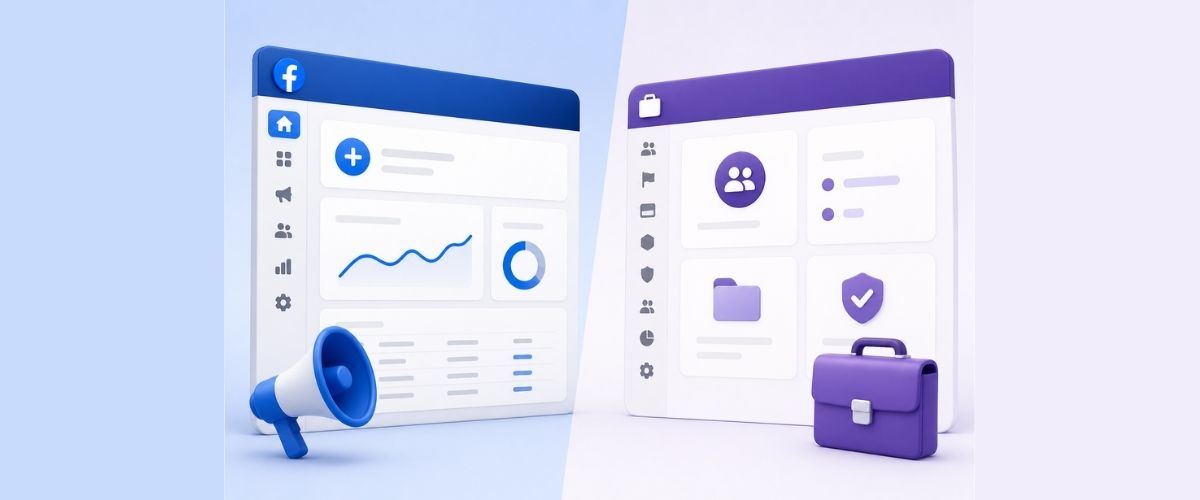
Meta Ads Manager and Meta Business Manager are two separate tools. Most people setting up Facebook advertising for the first time treat them as the same thing. They're not. One is for building and running paid campaigns. The other is for organising your business assets and controlling who has access to them.
Mixing them up leads to poor account structure, access issues, and campaigns that are harder to manage over time. Understanding what each tool is actually for makes a practical difference to how your Meta advertising operates. This post covers what each tool does, how they compare, and which one applies to your situation.
What Meta Ads Manager Does
Meta Ads Manager is the tool used to build, run, and track paid ad campaigns on Facebook and Instagram. It's where you set your campaign objective, define your audience, choose placements, set your budget, upload creatives, and publish. All campaign mechanics live inside Ads Manager.
You can run multiple campaigns at once, split test different audiences or creatives, set daily or lifetime budgets, and pull reports broken down by age, placement, device, and more. For anyone running Facebook ads with real spend behind them, this is where the work happens.
What you can do inside Meta Ads Manager:
- Set campaign objectives: traffic, leads, conversions, awareness
- Build custom audiences from website visits, email lists, or lookalike data
- Choose placements across Facebook, Instagram, Messenger, and Audience Network
- Run A/B tests on creatives, audiences, or bidding strategies
- View performance breakdowns including cost per result and ROAS
- Set automated rules to pause or adjust campaigns based on thresholds
- Track post-click website actions using the Meta Pixel
What Meta Business Manager Does
Meta Business Manager is for managing your business assets on Meta. That includes your Facebook Page, ad accounts, Instagram profile, Pixel, product catalogue, and the people who have access to all of those things. It is not a tool for running ads. It's the structure that holds everything together.
Inside Business Manager, you assign roles to team members or agencies, control who can access which assets, and keep business activity separate from personal Facebook profiles. Ads Manager sits inside it. For businesses managing multiple pages or ad accounts, or working with an external Facebook ads agency, Business Manager is what keeps the setup organised and secure.
What you can do inside Meta Business Manager:
- Create and manage multiple ad accounts from one login
- Assign admin, editor, analyst, or advertiser roles to team members
- Grant or restrict agency access without sharing personal passwords
- Connect your Pixel and product catalogue to the correct ad accounts
- Manage multiple Facebook Pages and Instagram accounts in one place
- Keep business activity separate from a personal Facebook profile
- Verify your business domain and manage payment methods across accounts
Side-by-Side Comparison
How the Two Tools Work Together
The two tools are not competing with each other. Business Manager is the outer structure. Ads Manager is the tool you use inside that structure to run ads. When Business Manager is configured correctly, your ad accounts, pages, and pixels are all attached to it, and Ads Manager works within that structure.
Running ads directly from a personal ad account works for a single person managing one set of campaigns. Once a team, agency, or multiple accounts are involved, the lack of structure creates access and security problems. Business Manager's permissions system lets you give an external party access to your ads without sharing your personal login or full account control.
Who Needs Ads Manager
Ads Manager is relevant for anyone actively spending money on paid campaigns. Whether you're managing it yourself or working alongside a digital marketing agency, Ads Manager is where campaign work happens.
Ads Manager applies to:
- Business owners running paid Facebook or Instagram ads directly
- Marketing teams managing ongoing campaigns with regular testing and optimisation
- Anyone tracking conversions or running retargeting campaigns using the Meta Pixel
- Businesses spending a consistent monthly budget on paid social
- Anyone who needs reliable performance data to inform budget decisions
Who Needs Business Manager
Business Manager is necessary once the setup involves more than one person or more than one account. A solo operator with one page and one ad account can manage without it initially. Once an agency, freelancer, or additional team member is involved, Business Manager is the correct way to handle access and permissions.
Business Manager is needed by:
- Businesses working with an external agency or freelancer to run ads
- Companies managing Facebook Pages across more than one brand or location
- Anyone controlling what different team members can view or edit
- Businesses that need to separate personal Facebook activity from work accounts
- Anyone setting up a product catalogue for dynamic ads on Meta
Common Setup Mistakes
Ad accounts and pages created through a personal Facebook profile without being connected to a Business Manager cause problems over time. If the profile owner leaves the business or loses account access, the ad account and page can become inaccessible. Business Manager separates asset ownership from personal accounts, which prevents this.
Another common issue is giving an agency or contractor direct access to a personal ad account instead of using Business Manager's partner access feature. This creates security risks and makes it harder to remove access later. Assigning agency access through Business Manager with defined roles (admin, advertiser, analyst) keeps permissions clean and easy to manage.
Meta Business Suite vs Business Manager
Meta has been merging some Business Manager features into a newer interface called Meta Business Suite. Business Suite covers post scheduling, a unified inbox, basic insights, and light ad management. It does not replace Business Manager's asset and permission management, and it is not the same as Ads Manager.
For businesses focused on running Facebook campaigns rather than scheduling posts or managing messages, Ads Manager remains the correct tool for paid campaign work. Business Suite is suited to day-to-day content publishing and community management.
Correct Setup Order
Set up Business Manager before creating any ad accounts. Building ad accounts outside of Business Manager first and trying to move them later is possible but creates complications. The correct sequence:
- Create a Meta Business Manager account at business.facebook.com
- Add your Facebook Page to Business Manager
- Create an ad account inside Business Manager, not separately
- Add your Meta Pixel and assign it to the correct ad account
- Add team members or agency partners with appropriate roles
- Use Meta Ads Manager inside Business Manager to build and launch campaigns
Each step connects the next. The Pixel needs to be assigned to the right ad account. The ad account needs to sit inside Business Manager so the right people can access it. Businesses working with a digital marketing agency benefit from having this structure in place before any campaign work begins.
Your Meta Advertising Setup Sorted
Business Manager handles access, asset organisation, and permissions. Ads Manager handles campaign creation, targeting, and performance reporting. Both need to be in place and correctly configured for Meta advertising to run without structural problems. Most Meta account issues trace back to poor initial setup rather than campaign strategy or creative.
Getting the structure right before spending money on campaigns means fewer problems to untangle later. For businesses that manage ads in-house or through an agency, a clean Business Manager setup is the foundation everything else runs on. If you want to talk through your current Meta setup, book a free strategy session with the Karma Media team.


.png)